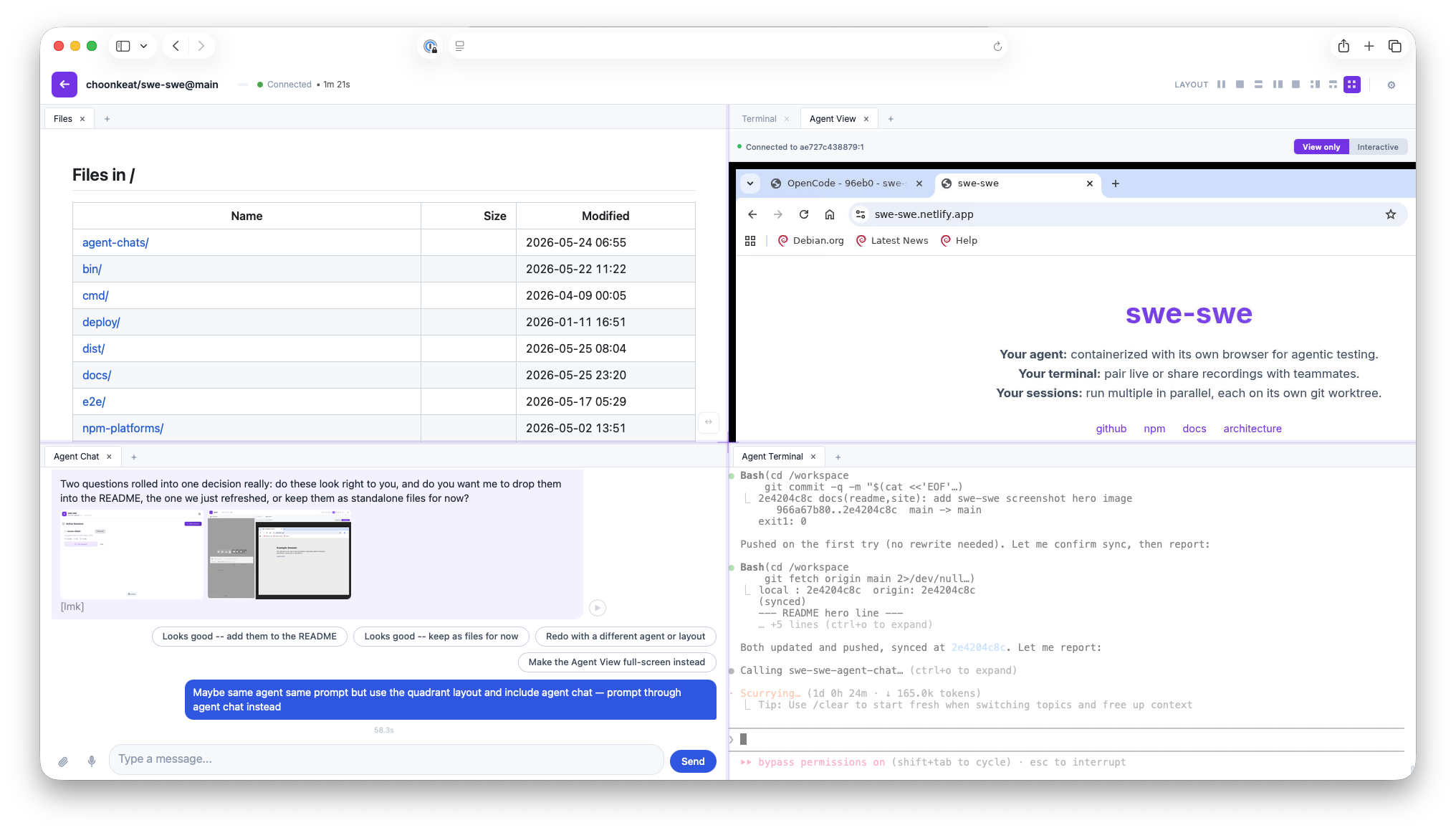
swe-swe
Your agent: containerized with its own browser for agentic testing.
Your terminal: pair live or share recordings with teammates.
Your sessions: run multiple in parallel, each on its own git worktree.
My machine running swe-swe will have
Tell the page what your machine has and it writes the commands to run. Leave everything as it is and you get the ordinary four lines. Pick one. Every check below prints its own answer, so you never have to interpret a wall of output.
how do I check?
docker info >/dev/null 2>&1 && echo "Docker works: pick Docker" || echo "No Docker here: pick one of the others"If you have Docker Desktop, start it and run this again.
how do I check?
command -v git >/dev/null 2>&1 && command -v claude gemini codex goose aider opencode pi >/dev/null 2>&1 && echo "git and a coding agent are installed: pick this one" || echo "Missing one of them: pick none of the above"Install one of these first
swe-swe needs either Docker, or git plus a coding agent already on the machine. There is no third way.
Easiest: install Docker, then come back and pick the first option.
Or: install git and one of claude, gemini, codex, goose, aider, opencode, pi — then pick the second option.
It also has
how do I check?
command -v node >/dev/null 2>&1 && echo "Node is installed: leave it TICKED" || echo "No Node: UNTICK it"how do I check?
sh -c 'm=""; for b in Xvfb x11vnc websockify; do command -v "$b" >/dev/null 2>&1 || m="$m $b"; done; command -v chromium >/dev/null 2>&1 || command -v chromium-browser >/dev/null 2>&1 || m="$m chromium"; [ -z "$m" ] && echo "All present: leave it TICKED" || echo "Missing:$m -- UNTICK it"'sudo apt-get install -y chromium xvfb x11vnc novnc websockifyhow do I check?
One command per agent you picked. Each makes a throwaway folder, asks the agent to list its tools, then deletes the folder. Your real settings are never touched.
No check for the agents you picked. Leave it ticked, and if the chat never answers you once swe-swe is running, come back and untick it.
My browser can reach it by
Pick one. This applies whichever way you answered above.
anything.<the machine's hostname> reaches it, whatever you put in front of the dot. Running it locally, lvh.me already behaves this way.how do I check?
In a browser on the machine you will actually be using, open anything.<the machine's hostname> — literally the word "anything", or any word you like. If it reaches this machine, pick this one.
https://my-box.example.com, and nothing else on that machine opens. Usual for a hosting service, a rented server with one way in, or a work network that blocks the rest. Nothing to set up.how do I check?
If all you were handed is one address to open, pick this one. To be sure, add :8080 to the end of that address (after the name, before any /) and try to open it in the browser you will actually use. If it does not open, pick this one.
Not available: the separate web address for your app that other people can open without logging in. That is a second address by nature.
Also: the per-session ports the other answers rely on are neither forwarded nor opened, so there is nothing extra listening on this machine and no pane waits to find that out.
One caveat: every pane shares the page's address, so a web page opened in the Files pane can reach into the page around it.
how does that work?
Install Tailscale on this machine and on the one you browse from, sign both into the same account, and reach swe-swe at the name Tailscale gives it. swe-swe neither installs nor configures it; it is just a network your machines are both on.
what do I need?
A tunnel server to connect to, which is a separate thing to run: a machine that stays up, a domain whose subdomains point at it, and your key authorised on it. See the docs. Once it is running, connecting this machine to it is the three steps below the script.
Run this
Needs swe-swe 2.38.0 or newer.
Password made at random in your browser, sent nowhere. Keep the copy you paste.
And on the different machine, the one with the browser
Run this there, not on the machine above. Pick any shared secret you like, as long as both machines use the same one.
Then, once per boot, in your browser
About 30 seconds. None of this is a command, so there is nothing to copy.
- Open the address your host gives you, and log in with your password.
- Gear icon, then Settings. In the "Tunnel secrets" box, paste your tunnel lines. Apply.
- The dot on the gear turns amber while it connects, then green. The link appears under "Tunnel secrets" in Settings, with a Copy button. Open that link. Every pane works there, and it is the same link every boot.